Web Scraping Using Python Scrapy - indeed.com
Motivation
As a (future) data analyst, data acquisition is one of the day-to-day work. It is quite convenient when data we need is already published somewhere on the internet as open source data. We can of course get right into analysis. However, as we know that this world is not ideal. Sometimes, data analyst must go get their hand dirty by acquring data themselves, such as web scraping and web crawling. Altough web scraping and web crawling might be used interchangebly, however, they are actually very different process. This small project is web scraping which is acquiring job posting data from job portal indeed.com.
Before scraping, I did quick research on the legality of web scraping. To date, this topic remains gray area, however, we can reflect on the linkedIn saga who sued hiQ Lab which I don't want to go detail into. From my quick research, it may be concluded that it should be fine to scrape "public data" which doesn't include any authorization. Further, here, I don't scrape any data containing PII. In addition, one should be more "ethical" since scraping may overload the web server.
Overview - Project and Tools
The aim of this projects are:
- Exercising web scraping skills and dataa acquisitions
- Performing job posting analysis since I have been getting many rejections while applying data analyst position in Germany, haha.. I wonder what makes data analyst in Germany to be hired in terms of skills and qualifications. I wanted to prove my assumption through analysis whether a classical stereotype is true that formal degree in the relevant major is more important than skills, even in this digital era where everybody can learn almost anything.
The job posting analysis will be performed next and written in a separate article.
Tech Stack:
- Scrapy - Python framework for web scraping and web crawling
- Proxy provider - For tunneling the scraper request to the web server
Process
1. Installing Scrapy
pip install scrapy2. Inspecting indeed.com page
As mentioned, I will be interested in discovering data analyst job requirements in Germany. By inputing keyword "data analyst" and location "Germany", indeed will give me this look.
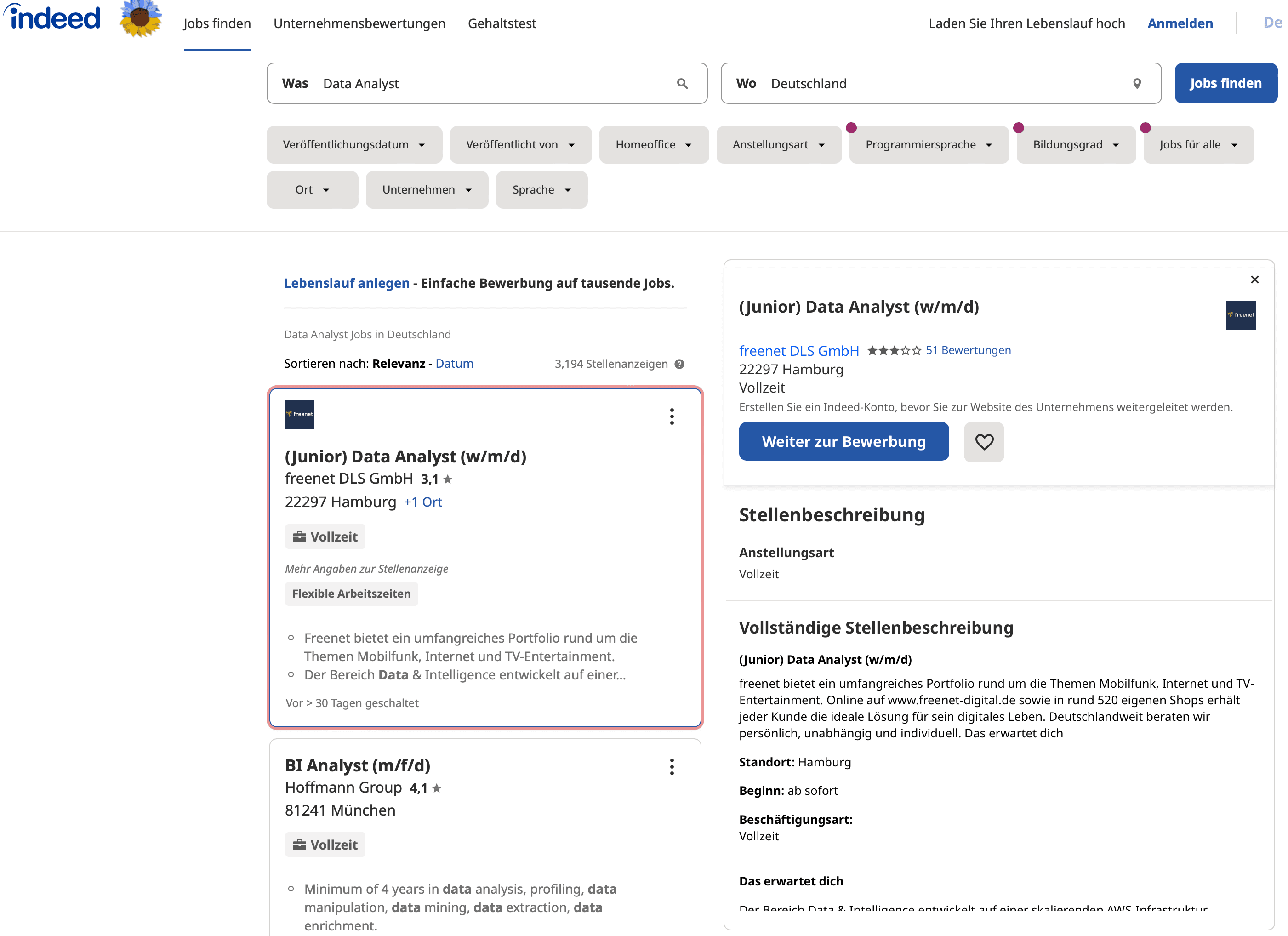
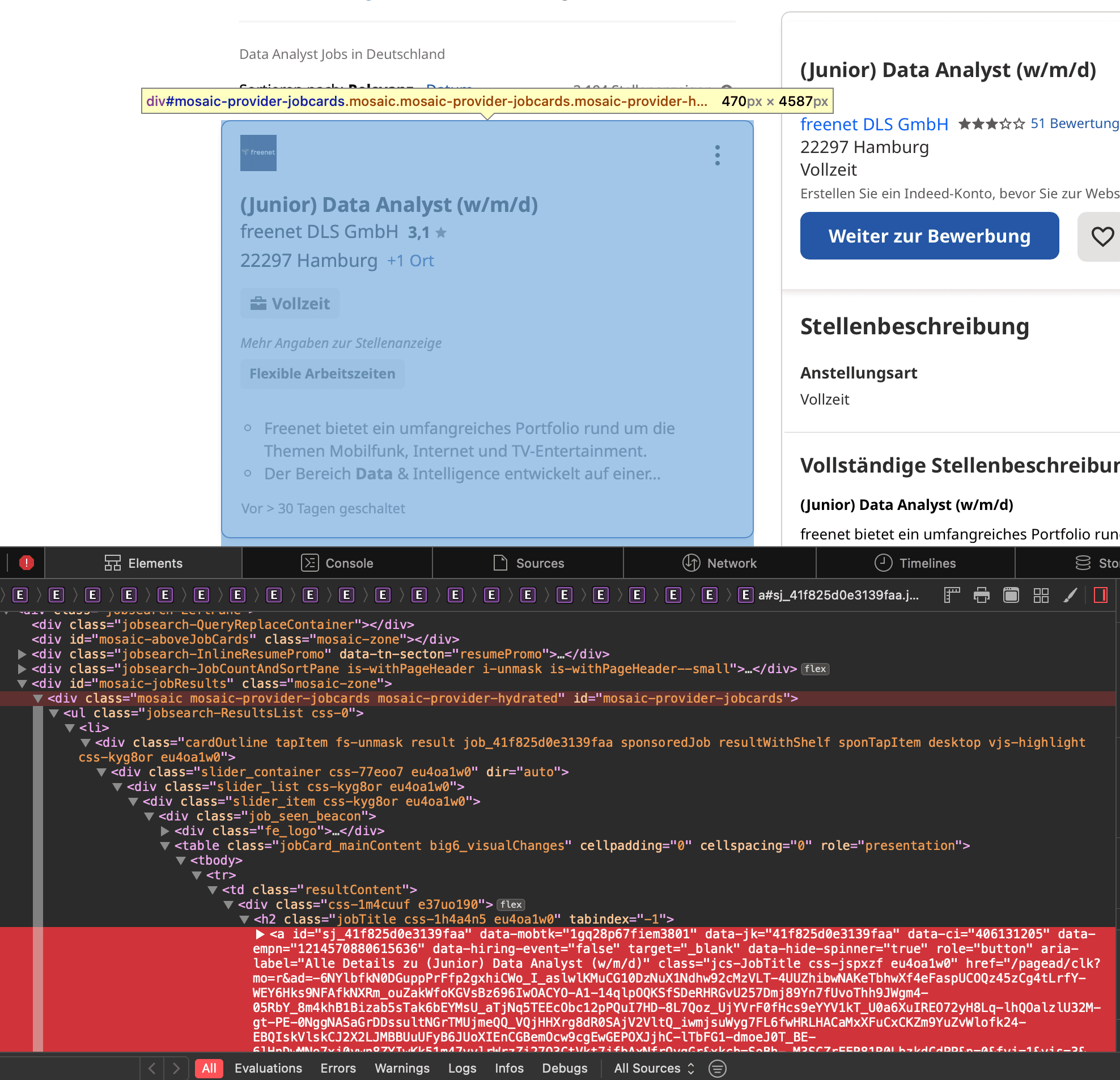
Firstly, I scraped the div container of the front page to get all the links leading to the actual job page, then scraped one by one the information about the "job title", "location, "status" and "job description". Afterwards, I will go to the next page and do exactly the same thing.
Scraping front page
def parse_front(self, response):

      links = response.xpath(
          '//div[@id="mosaic-provider-jobcards"]//td[@class="resultContent"]/div/h2/a/@href')
      links_to_follow = links.extract()

      for url in links_to_follow:
          url_to_follow = "https://de.indeed.com" + url
          yield response.follow(url=url_to_follow, callback=self.parse_page)

      # Paginate Through Jobs Pages
      next_page = response.xpath('//a[@aria-label="Next Page"]/@href').get()

      if next_page:
          next_page_url = response.urljoin(next_page)
          yield scrapy.Request(url=next_page_url, callback=self.parse_front)
Scraping actual page
def parse_page(self, response):

      job_title_ext = response.xpath('//h1/span[@role="text"]/text()').extract_first()

      company_name_ext = response.xpath('//div[@data-company-name="true"]/a/text()').extract_first()

      location_ext = response.xpath('//*[contains(@class,"jobsearch-JobInfoHeader-subtitle")]/div[2]/div[1]/text()').extract_first()

      status_ext = response.xpath('//*[@id="salaryInfoAndJobType"]/span/text()').extract_first()

      description = response.xpath('//div[@id="jobDescriptionText"]//descendant::*/text()')
      description_ext = description.extract()
      desc = ''.join(x.strip() for x in description_ext)

      yield {
          'title': job_title_ext,
          'company': company_name_ext,
          'location': location_ext,
          'status': status_ext,
          'jobdesc': desc
      }
In order to finetune my selector, I really recommend using scrapy shellcommand.
3. Setting up the proxy
Website owners definitely will not let some random people just visit their websites, overload the server with requests and just "steal" data or information from them. Without having a proxy that tunnels our scraping requests, scraper bot would be easily detected and blocked. Proxy tunnels request scraper bots and acts as middleman (midlleware) handling our scraper bot requests. In other words, our requests will not be sent directly to the web server, thus, keeping our identity hidden.
To integrate the proxy easily into our scrapy project, I installed the ScrapeOps Scrapy proxy SDK a Downloader Middleware.
pip install scrapeops-scrapy-proxy-sdkBOT_NAME = 'indeed_scraper_spider'
SPIDER_MODULES = ['indeed_scraper_spider.spiders']
NEWSPIDER_MODULE = 'indeed_scraper_spider.spiders'
# Obey robots.txt rules
ROBOTSTXT_OBEY = False
## ScrapeOps API Key
SCRAPEOPS_API_KEY = 'YOUR API KEY'
## Enable ScrapeOps Proxy
SCRAPEOPS_PROXY_ENABLED = True
# Add In The ScrapeOps Monitoring Extension
EXTENSIONS = {
'scrapeops_scrapy.extension.ScrapeOpsMonitor': 500,
}
DOWNLOADER_MIDDLEWARES = {
## ScrapeOps Monitor
'scrapeops_scrapy.middleware.retry.RetryMiddleware': 550,
'scrapy.downloadermiddlewares.retry.RetryMiddleware': None,
## Proxy Middleware
'scrapeops_scrapy_proxy_sdk.scrapeops_scrapy_proxy_sdk.ScrapeOpsScrapyProxySdk': 725,
}
DOWNLOAD_DELAY = 3Credit source: Scrapeops Article
4. Let’s roll!
Run command:
scrapy crawl indeed_scraper -o jobsposting_indeed.json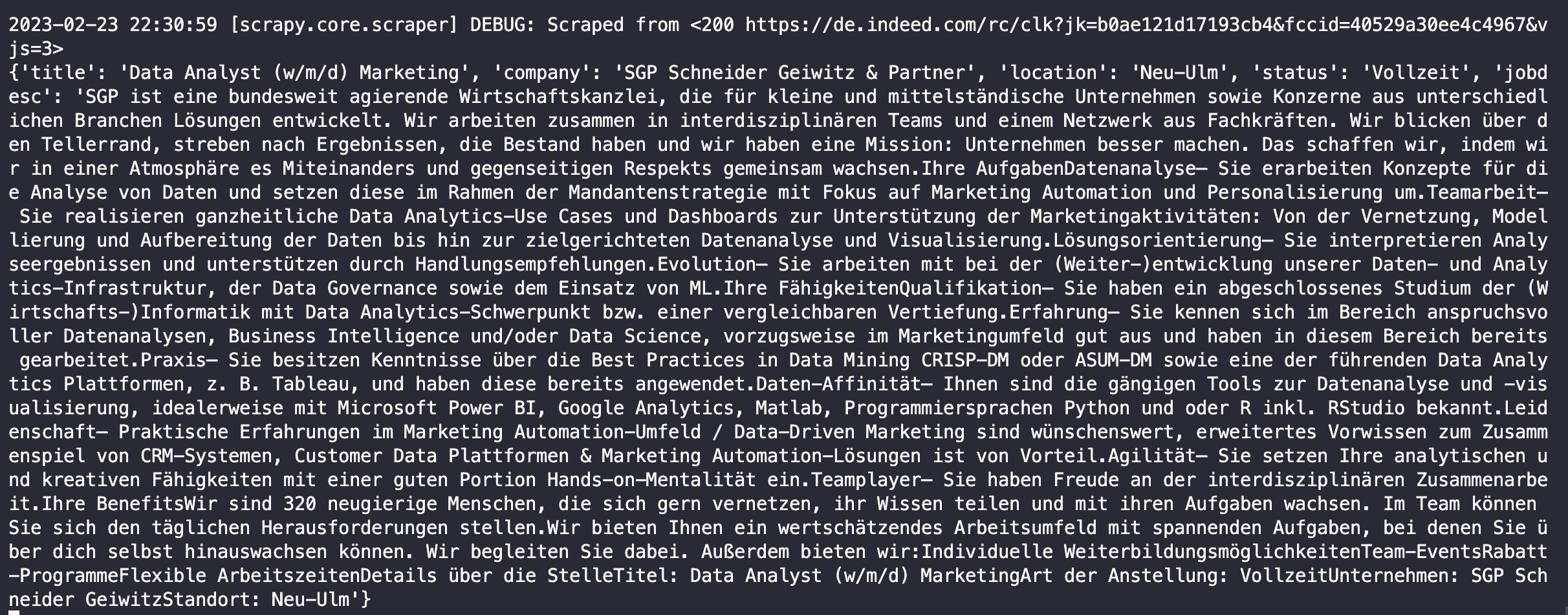
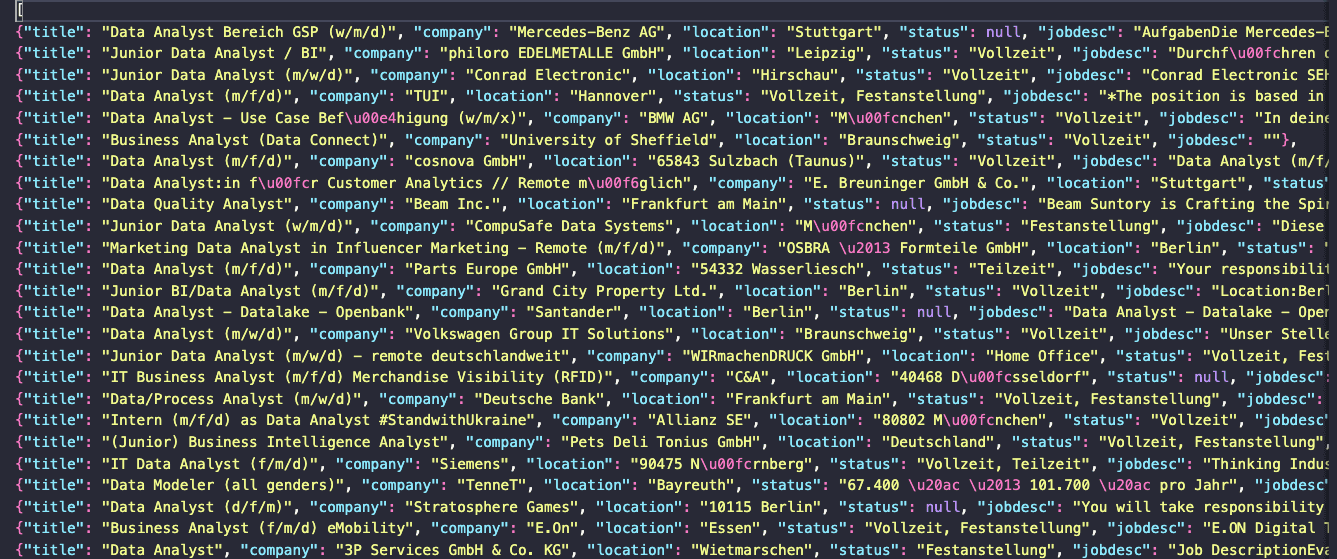
With free plan proxy, I managed to scrape 715 job postings or almost 30% of around 2,500 available job postings.
Conclusions
This is indeed a very simple scraping script, however, there are some takeaway points for me:
- DOM (Document Object Model)
- Selector using xpath and css
- Proxy use
- Builidng scraper bot
Find the code for this project Github